
Screenshots
App details
- Updated
- Nov 18, 2010
- Language
- English
- Category
- Mobile
SoftPas in:
This product is also available in the following languages:
About Aimersoft Video Studio Express
Download Aimersoft Video Studio Express – video editing, video maker, video creator, video tools, video app
Overview
Aimersoft Video Studio Express is a dedicated video editing application designed for users who are new to video creation. The software aims to simplify the video editing process by offering a streamlined interface and essential tools, eliminating the steep learning curve associated with professional-grade editing software. Its primary purpose is to empower casual users, hobbyists, and aspiring filmmakers to produce polished, shareable videos without requiring prior experience in video production.
The app is particularly suited for individuals who want to edit home videos, create short clips for social media, or produce simple presentations. It serves as a practical entry point into video editing, allowing users to focus on creativity rather than technical complexity. While the developer, Aimersoft, is known in the media software space, specific details about the company’s background were not provided in the available data.
Real-world use cases include trimming and organizing raw footage, applying transitions between scenes, and exporting videos for platforms like YouTube or personal devices. In the broader app ecosystem, Aimersoft Video Studio Express fills a niche for lightweight, accessible video editing tools, especially for users on Windows who seek a no-frills solution. Despite its age, the application remains relevant for those prioritizing simplicity and ease of use over advanced features.
Key Features & Functionality
- User-Friendly Interface: The application features a clean, intuitive layout designed to minimize confusion for first-time users. Navigation is straightforward, with clearly labeled tools and a logical workflow that supports immediate engagement.
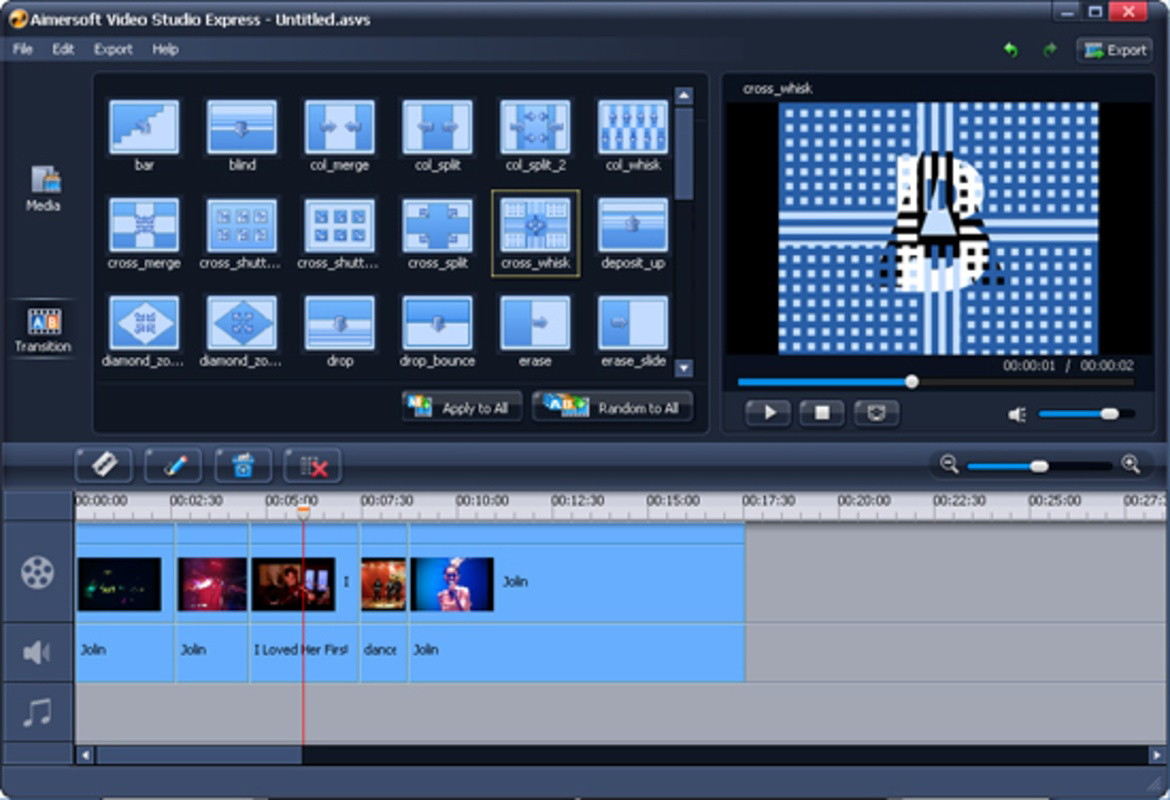
- Rich Transition Options: Over forty transition effects are available, enabling users to create smooth, professional-looking scene changes. These transitions can be applied with a single click, enhancing the visual flow of edited videos.
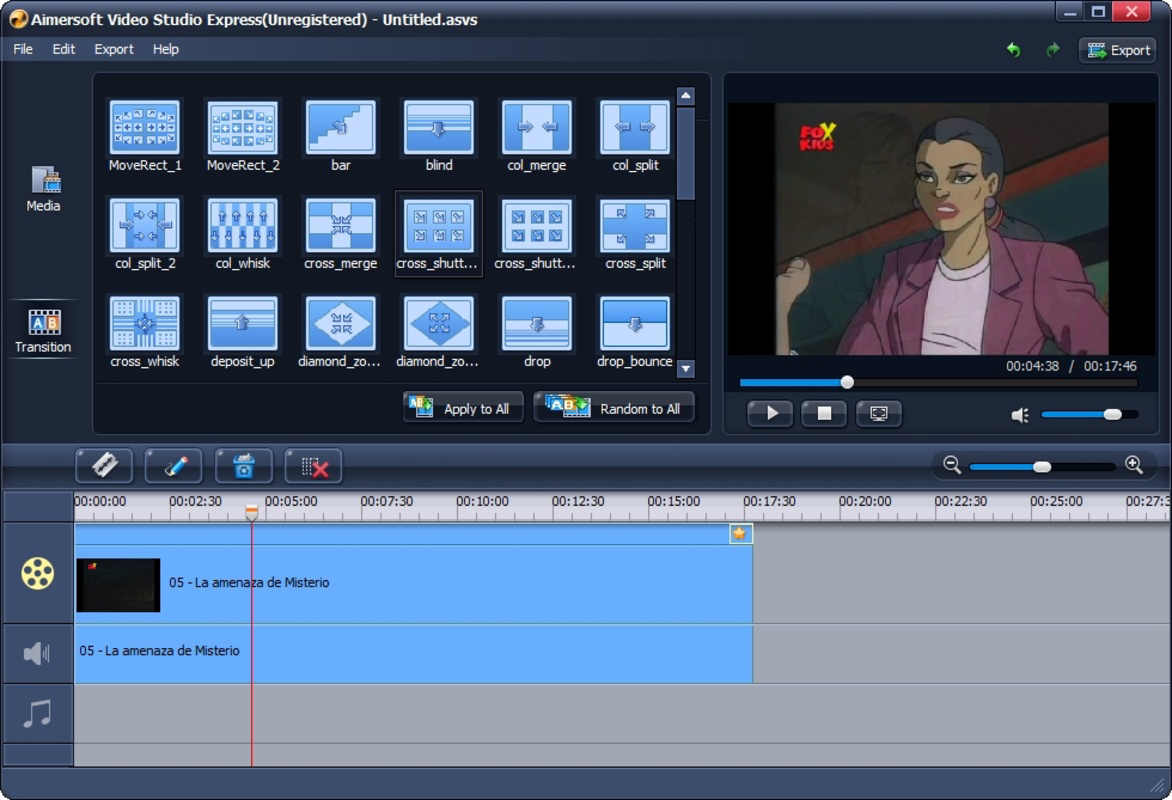
- Timeline Editing: A dedicated timeline allows users to separate and manage audio and video tracks independently. This functionality supports precise trimming, reordering, and layering of clips, contributing to more polished final outputs.
- Versatile Export Formats: Videos can be exported in multiple formats including AVI and WMV, and directly shared to devices such as iPads and iPhones. The option to upload directly to YouTube simplifies the sharing process.
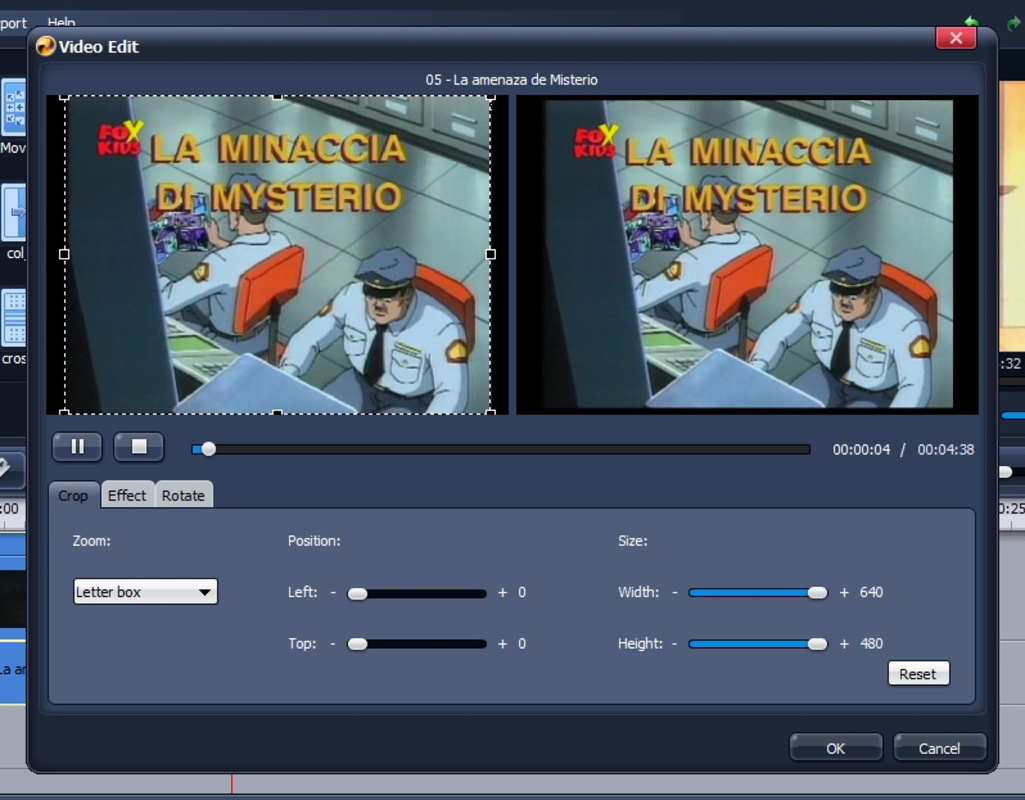
- Beginner-Friendly Tools: Core editing functions like trimming, cropping, and basic effects are simplified for ease of access. These tools are designed to be effective without requiring technical knowledge, making the software ideal for novices.
For example, a user can import a series of vacation clips, trim unwanted segments, apply a fade transition between scenes, and export the final video to YouTube—all within a single, cohesive workflow. The timeline-based approach ensures that users maintain control over timing and synchronization, especially when aligning audio with visual content.
Interface, UX & Performance
The interface of Aimersoft Video Studio Express is structured around clarity and accessibility. The layout prioritizes essential tools in a centralized workspace, with a timeline at the bottom and a preview window at the top. This arrangement supports a natural editing rhythm, reducing the need to switch between multiple panels.
Navigation is consistent across functions, with toolbars and menus organized by purpose. Users can access transitions, effects, and export options through clearly labeled icons and dropdowns. The visual design is minimalistic, avoiding clutter while maintaining functional visibility.
Although the developer did not list formal performance metrics, the application’s file size of 25.4 MB suggests a lightweight footprint, which typically indicates efficient resource usage. It is expected to run smoothly on standard Windows systems, particularly those meeting basic requirements for multimedia applications. Responsiveness appears adequate for the intended use cases, with minimal lag during basic editing tasks such as trimming or applying transitions.
Stability is not explicitly documented, but the long-standing release date implies a mature product with a stable core. However, users should be aware that the software has not been updated since 2010, which may affect compatibility with modern Windows versions or security standards.
Platform Compatibility & Technical Requirements
Aimersoft Video Studio Express is designed for the Windows operating system. The available information specifies the platform as Windows, but does not include details about the minimum OS version or hardware requirements.
The file size is listed as 25.4 MB, which is relatively small and suggests the application is optimized for low-resource environments. This size also indicates that the software likely does not include heavy dependencies or background services.
The developer did not specify minimum OS requirements, nor did they list compatibility with specific Windows versions beyond the platform name. As such, users should exercise caution when installing on newer systems, especially those running Windows 11 or later, as legacy applications may encounter compatibility issues.
Pros and Cons
Pros
- Simple, intuitive interface ideal for beginners
- Lightweight file size (25.4 MB)
- Over forty transition effects for creative flexibility
- Supports multiple export formats and direct uploads to YouTube
- Timeline-based editing for precise control
- Free to download and use
Cons
- Release date is from 2010; may lack modern features
- Compatibility with current Windows versions is not confirmed
- No recent updates or developer support
- Does not support modern video codecs or high-resolution formats
- Limited to Windows platform
FAQ
Is Aimersoft Video Studio Express safe to download?
The application is free and available through official channels. However, due to its age and lack of recent updates, users should ensure they download from trusted sources to avoid potential security risks.
Can I use Aimersoft Video Studio Express on Windows 11?
While the software is designed for Windows, compatibility with Windows 11 has not been officially confirmed. Users may encounter issues when running the application on newer systems.
Does Aimersoft Video Studio Express support 4K video editing?
There is no indication that the software supports 4K video editing. Given its release date and file size, it is unlikely to handle high-resolution video files efficiently.
Are there in-app purchases or ads?
The app is listed as free with no pricing details beyond that. No information was provided about ads or in-app purchases.
How often is Aimersoft Video Studio Express updated?
The last known release was in 2010. The developer has not provided any update history, suggesting the software is no longer actively maintained.
Final Thoughts
Aimersoft Video Studio Express remains a notable option for users seeking a straightforward, no-cost video editing solution. Its lightweight design, intuitive interface, and core editing tools make it a practical choice for beginners or those who need to perform occasional video edits without complexity. While the software lacks modern features and has not been updated in over a decade, it still delivers on its original promise: simplifying video creation for non-professionals.
For users on older Windows systems or those who prioritize ease of use over advanced functionality, the app may still serve a useful role. However, individuals seeking support for high-resolution videos, modern codecs, or ongoing updates should consider more current alternatives.
Despite its age, Aimersoft Video Studio Express continues to fulfill a niche in the video editing landscape. Download Aimersoft Video Studio Express now and start creating your videos with confidence.
Guides & Tutorials
How to install Aimersoft Video Studio Express
- Click the Download button above.
- Once redirected, accept the terms and click Install.
- Wait for the Aimersoft Video Studio Express download to finish on your device.
How to use Aimersoft Video Studio Express
This software is primarily used for its core features described above. Open the app after installation to explore its capabilities.
User Reviews
No reviews yet. Be the first to share your experience.
You may also like
more
Que no te pillen¡
About !Que no te pillen¡Reviewed by Jason A. BilbreyShow MoreShow Less

3D Combat Zone
About 3D Combat ZoneOriginally released in 1983, 3D Combat Zone immerses players...

666: El día del portal
About 666: El día del portalOn June 6, 2006, Agent P. Stone uncovers a sinister...

80 in 1 Best Flash games
About 80 in 1 Best Flash games 80 in 1 Best Flash games is a collection of 80 fl...

ABYSS SEEKERーーWhat Do You See Deep in The Abyss
About ABYSS SEEKERーーWhat Do You See Deep in The AbyssIn ABYSS SEEKER, players...

ACA NEOGEO THE KING OF FIGHTERS 2002 for Windows
About ACA NEOGEO THE KING OF FIGHTERS 2002 for WindowsTHE KING OF FIGHTERS 2002,...